

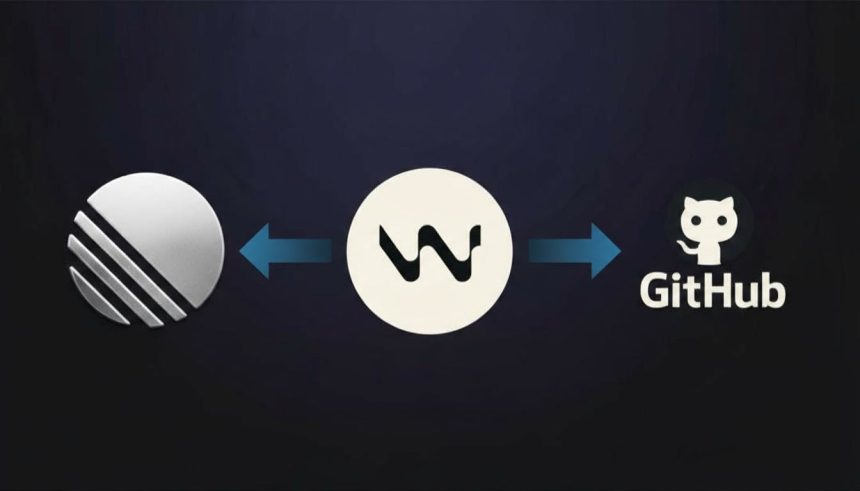
Reclaiming Developer Hours: The Transformative Synergy of Windsurf and Model Context Protocol
In the relentless pace of modern software development, context switching has become an insidious drain on productivity. The constant alt-tabbing between IDEs, issue trackers, version control systems, and communication platforms fragments focus, erodes flow state, and ultimately consumes precious hours. However, a new paradigm is emerging with Windsurf, an AI-first IDE, leveraging the Model Context Protocol (MCP) to offer a compelling solution to this pervasive challenge.
Understanding Model Context Protocol (MCP)
At its core, MCP serves as the crucial connective tissue that elevates AI assistance from a siloed tool to an integrated workflow partner. Traditionally, AI coding assistants were confined to the immediate code environment, limited to analyzing and generating code within the IDE. MCP shatters these boundaries by providing the AI assistant, specifically Windsurf’s Cascade, with API-level access to an entire ecosystem of development tools. Imagine an AI not just suggesting code, but also directly interacting with GitHub, Linear, Slack, or even database systems. This capability transforms the AI from a passive helper into an active participant capable of executing multi-step, cross-platform commands without human intervention.
Introducing Windsurf: The AI-First IDE
Windsurf isn’t merely an existing IDE with AI features bolted on; it’s engineered from the ground up with AI at its core, embodied by its assistant, Cascade. Unlike conventional autocomplete or basic code generation tools, Cascade functions as a genuine pair programmer. It possesses a holistic understanding of the entire codebase, transcending the confines of the currently open file. This comprehensive awareness enables Cascade to:
- Coordinate changes across multiple files.
- Implement features end-to-end based on high-level instructions.
- Debug by identifying patterns across vast swathes of code.
- Crucially, integrate seamlessly with external tools via MCP.
Developers can issue complex commands like “implement password reset with email verification,” and Cascade will autonomously decompose the task, write the necessary code, generate tests, and manage the intricate details.
The Before and After: A Developer’s Daily Shift
Life Before Windsurf
A typical development day often resembles a frantic juggling act:
- Coding in one environment.
- Switching to GitHub to manage issues or pull requests.
- Navigating to Linear or another project management tool to link tasks.
- Returning to the IDE, only to find the thread of thought broken.
- Spending valuable minutes—sometimes more—re-establishing a state of flow.
This perpetual cycle of context switching can cumulatively steal 2-3 hours daily, a significant portion of a developer’s potential productive time, often for purely mechanical tasks.
The Paradigm Shift with Windsurf + MCP
With Windsurf and MCP, this fragmented workflow consolidates into a streamlined, conversational interaction:
Me: "There's an auth bug in the login flow. Fix it and create a PR."

Cascade:
- Analyzes and identifies the bug (e.g., a token storage inconsistency).
- Applies the necessary fixes across affected files (e.g., auth.js and session.ts).
- Automatically generates a robust regression test to prevent recurrence.
- Creates a GitHub Pull Request complete with a detailed, conversation-aware description.
- Links the corresponding Linear issue for project tracking.
- Applies appropriate labels and assigns the PR for review.

Time: Approximately 3 minutes of focused developer attention.
This automated, intelligent orchestration fundamentally alters the developer experience, freeing up cognitive load for complex problem-solving rather than administrative overhead.
Quantifiable Gains: Six Months of Empirical Evidence
The impact of Windsurf + MCP isn’t merely anecdotal; it translates into tangible, measurable improvements in key development metrics:
- Feature Development: Tasks that once consumed 4-5 hours end-to-end now take roughly 90 minutes. Cascade handles the boilerplate and repetitive coding, allowing developers to concentrate on architectural design and core logic.
- Bug Fixes: The process of investigation, fixing, and PR creation is reduced from an hour to about 15 minutes. Cascade’s uncanny ability to pattern match across disparate code files dramatically accelerates bug identification and resolution.
- Code Reviews: The time spent on code reviews can be cut in half. Cascade performs an initial pass, providing inline comments and flagging potential issues directly on GitHub, transforming the human reviewer’s role into a higher-level oversight.
- Issue Management: The tedious 10-15 minutes previously spent writing detailed descriptions and linking tasks is distilled into a single, natural language instruction to Cascade.
These gains don’t imply more coding; rather, they signify a reallocation of developer time towards more impactful, creative, and strategic work, effectively multiplying productivity without increasing workload.
Implementing the AI-Powered Workflow: A Technical Overview
Setting up Windsurf with MCP is a straightforward process that unlocks immense capabilities.
Prerequisites
- Windsurf IDE: Obtainable from codeium.com/windsurf.
- Node.js v16+: Essential for running the MCP server packages.
- API Tokens: For authentication with connected services.
The Configuration Hub
MCP configurations are managed within the ~/.codeium/windsurf/mcp_config.json file. Create this file if it doesn’t already exist.
GitHub Integration
To connect GitHub, a personal access token with appropriate scopes is required:
- Navigate to GitHub Settings → Developer settings → Personal access tokens.
- Generate a new token (classic).
- Ensure the following scopes are checked:
repo,read:org,user,workflow. - Copy the generated token.
Then, add the following configuration to your mcp_config.json:
{
  "mcpServers": {
    "github": {
      "command": "npx",
      "args": [
        "-y",
        "@modelcontextprotocol/server-github"
      ],
      "env": {
        "GITHUB_TOKEN": "ghp_your_actual_token_here"
      }
    }
  }
}
The npx -y command ensures the MCP server package is automatically installed without manual confirmation.
Linear Integration
Linear offers a more streamlined OAuth-based authentication, eliminating the need for manual token management:
{
  "mcpServers": {
    "linear": {
      "command": "npx",
      "args": [
        "-y",
        "mcp-remote",
        "https://mcp.linear.app/sse"
      ]
    }
  }
}
Upon its first use, Windsurf will prompt an in-browser authentication flow. Complete this, and Linear integration is active.
Complete Sample Configuration
Combining both GitHub and Linear configurations provides a robust starting point:
{
  "mcpServers": {
    "github": {
      "command": "npx",
      "args": [
        "-y",
        "@modelcontextprotocol/server-github"
      ],
      "env": {
        "GITHUB_TOKEN": "ghp_your_token_here"
      }
    },
    "linear": {
      "command": "npx",
      "args": [
        "-y",
        "mcp-remote",
        "https://mcp.linear.app/sse"
      ]
    }
  }
}
After saving, a restart of Windsurf typically activates these new configurations.
Real-World Applications and Strategic Advantages
Once configured, the potential for workflow transformation is immense:
Cross-Platform Workflows
Cascade excels at orchestrating tasks across different platforms. A single instruction can initiate a cascade of actions:
"Create a Linear issue for implementing dark mode,
then create a GitHub branch for it and link them"
Cascade will autonomously create the issue, generate the branch, and establish bidirectional links, ensuring project and code hygiene from the outset.
Automated Pull Requests
Generating PRs becomes a conversational task. Cascade can be instructed to:
"Create a PR for this feature with a proper description
based on our conversation. Add the 'feature' label and
assign it to Sarah."
The resulting PR on GitHub is fully populated with a contextual description, labels, and assignee, reflecting the prior conversation and saving significant manual effort.
Scaled Code Reviews
The AI can undertake the initial, often exhaustive, phase of code review:
"Review PR #234. Check for security issues and
performance problems. Add inline comments."
Cascade meticulously examines every changed file, posting inline comments directly on GitHub for identified issues. This shifts the human reviewer’s role from a primary auditor to an overseer, focusing on nuanced decisions and architectural implications.
Navigating the Nuances: Areas for Improvement
While profoundly impactful, Windsurf with MCP is not without its learning curves and challenges:
- Token Management: Securely handling, rotating, and ensuring correct scopes for API tokens requires diligent attention. Misconfigured scopes are a common source of authentication failures.
- Learning Curve for Prompts: Initially, users might over-specify commands. Discovering Cascade’s inferential capabilities—understanding that “create a GitHub issue for login bug” often suffices without explicit repository or label details—requires some adaptation.
- API Rate Limits: Services like GitHub impose rate limits (e.g., 5,000 API calls per hour). While substantial, intensive codebase analysis by Cascade can push these boundaries, necessitating awareness.
- OAuth Peculiarities: Occasionally, OAuth flows, particularly for services like Linear with multiple workspaces, can exhibit janky behavior. A simple restart of Windsurf often resolves these minor hiccups.
These minor frictions are, however, vastly overshadowed by the core benefit of eliminating repetitive, low-value tasks.
Security Best Practices for MCP Deployments
Given the sensitive nature of API tokens and direct tool integrations, adhering to security best practices is paramount:
- Never Commit Configuration: The
mcp_config.jsonfile, containing sensitive tokens, must never be committed to version control. Add it to.gitignoreimmediately. - Lock Down File Permissions: Restrict access to the configuration file using file system permissions:
chmod 600 ~/.codeium/windsurf/mcp_config.jsonThis ensures only the file owner can read or write to it.
- Principle of Least Privilege: Grant only the absolute minimum necessary API scopes. Avoid broad permissions like
admin:orgunless explicitly required, minimizing potential attack surfaces. - Regular Token Rotation: Implement a strategy for periodically rotating API tokens (e.g., every few months) to mitigate risks associated with compromised credentials.
Expanding the Ecosystem: Beyond Core Integrations
The extensibility of MCP allows for integration with a wider array of development and operational tools. Examples include:
{
  "mcpServers": {
    "slack": {
      "command": "npx",
      "args": ["-y", "@modelcontextprotocol/server-slack"],
      "env": {
        "SLACK_BOT_TOKEN": "xoxb-your-token",
        "SLACK_TEAM_ID": "T01234567"
      }
    },
    "postgres": {
      "command": "npx",
      "args": ["-y", "@modelcontextprotocol/server-postgres"],
      "env": {
        "POSTGRES_CONNECTION_STRING": "postgresql://user:pass@localhost:5432/db"
      }
    }
  }
}
Further integrations can include a filesystem MCP server for managing files outside the immediate project directory, demonstrating the protocol’s versatility in creating a truly interconnected development environment.
The Imperative of AI-Native Workflows
Many AI coding tools offer incremental enhancements—a suggestion here, a snippet there. Windsurf, powered by MCP, represents a fundamental shift. It systematically eradicates entire categories of administrative burden, freeing developers from the tyranny of context switching, manual issue creation, boilerplate PRs, and fragmented tool management. While not a panacea, and certainly not a replacement for human ingenuity, it profoundly augments developer productivity by automating the “mechanical busywork.” The initial setup investment of approximately 30 minutes yields an ROI often realized within the first week, translating into several hours reclaimed weekly. In an industry striving for efficiency and innovation, perhaps the question is no longer “Will AI transform development?” but “Are we ready to embrace an AI-native workflow that fundamentally redefines how we build?”




![Clean Code: Functions and Error Handling in Go: From Chaos to Clarity [Part 1]](https://techtonic.xpansieve.com.ng/wp-content/uploads/2025/10/Clean-Code-Functions-and-Error-Handling-in-Go-From-Chaos-150x150.png)


